
How it works
Simple on both sides.
A pharmacy posts, a professional applies, the shift is confirmed. Here's how it works for each.
For pharmacies
- 01Post a shiftSet the role you need, the date and the hours.
- 02Receive applicationsAvailable pharmacists and technicians reply directly in Qwik.
- 03Review profilesExperience, software, preferences — everything in one place.
- 04Select your replacementOne click to confirm; the professional is notified right away.
- 05Manage your shifts in QwikYour calendar stays current on the web and on mobile.
For pharmacists and technicians
- 01Browse shiftsBy role, by date, by region.
- 02Set your availabilityPharmacies know when you're free.
- 03Apply in one tapOne gesture, and your application is sent.
- 04Manage upcoming shiftsConfirmations and calendar in one place.
- 05Use Qwik on mobile or on the webSame account, same data, everywhere.
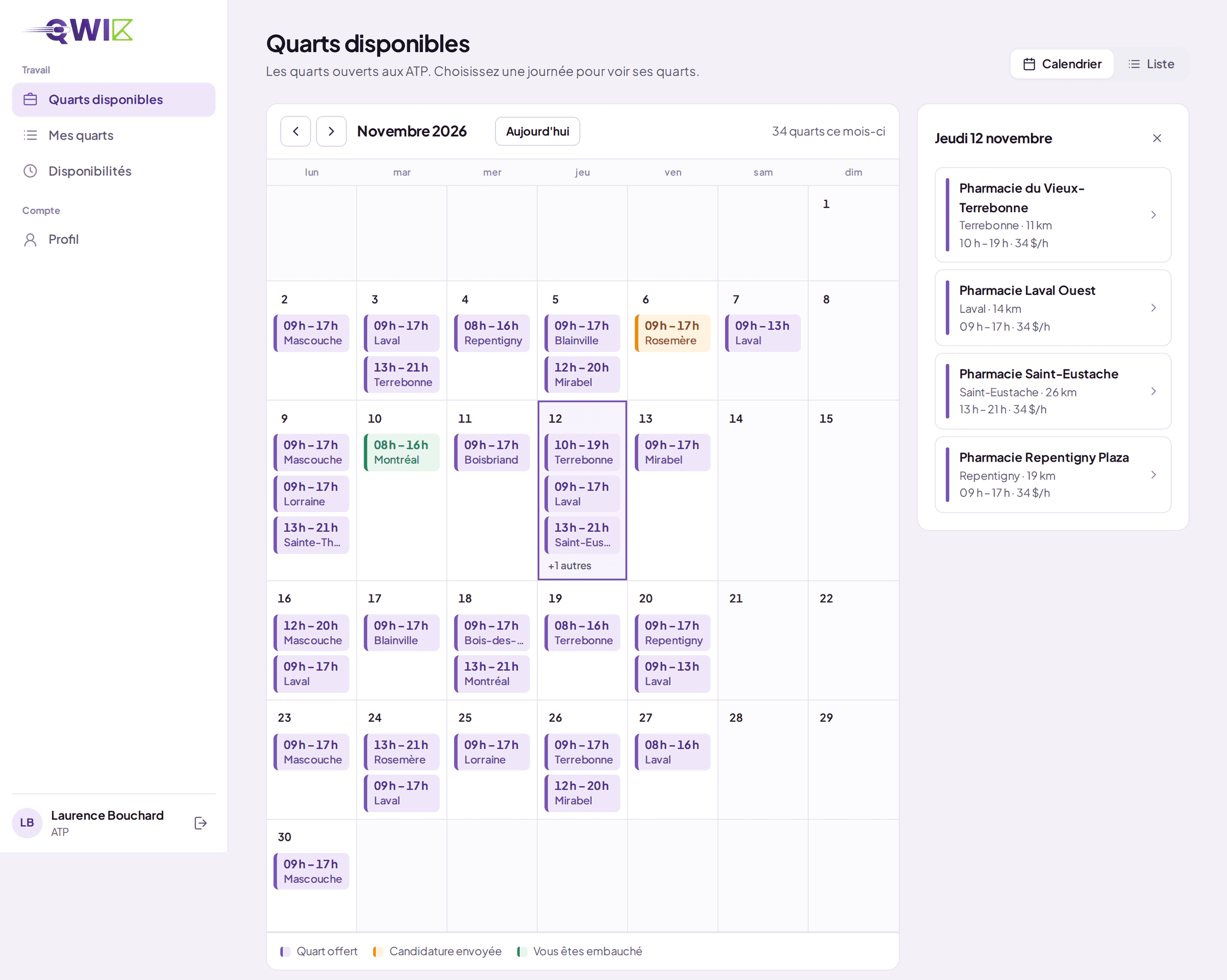
New — Web application
Qwik comes to your desktop.
The same platform, built for the big screen. Shift calendar, open shifts, availability, applications and profiles — all in one place, in your browser, nothing to install.
Open the portal
portail.qwik-inc.com · Works in every modern browser
Posted, filled and upcoming shifts, week by week.
Ready to simplify your relief staffing?
Create your account and post your first shift — or find your next one — today.
How it works
One posting, one filled shift.
Qwik connects both sides of relief staffing, from the need to the confirmation.